Microsoft 365
Email, Teams, files and the Office apps your team uses every day, set up, secured and looked after by a Microsoft Partner.
Free ConsultationThe A2Z IT Promise
We set Microsoft 365 up the way it should be from the start, then keep it that way. Your team gets tools that work wherever they are. You get one team to call when something doesn't.
Collaboration & Communication
Group chat, online meetings and calling via Microsoft Teams.
Productivity Applications
The latest versions of Word, Excel, PowerPoint and Outlook.
Cloud Integration & Mobility
Secure access to your organisation's files from any device.
Security & Compliance
Encryption, multi-factor authentication and data loss prevention.
How Microsoft 365 works for you
What we set up, secure and look after.
Work from anywhere
Your team works from the same files and the same conversations whether they're in the office, at home or on the road.
Collaboration Tools
Group chat, online meetings and calling in Microsoft Teams. Teams Calling can replace your phone system too.
Cloud Storage
Each user gets 1 TB of OneDrive storage for files.
Additional Apps
Bookings, Planner and Forms, for the jobs that usually end up in a spreadsheet.
Any Device
The same apps on Windows, Mac, iPhone and Android.


Security and Compliance
Microsoft 365 comes with serious security built in: encryption, multi-factor authentication and data loss prevention. Most of it only protects you once someone switches it on. Our own tooling measures your setup against the Cyber Essentials controls, so you know where you stand before an assessor does.
Protected Accounts
Multi-factor authentication and conditional access, so a stolen password isn't enough on its own.
Protected Data
Encryption and data loss prevention keep sensitive information inside the business.
Moving to Microsoft 365
Whether you're setting up Microsoft 365 for the first time or moving from somewhere else, we plan the move so the business keeps working. Mailboxes, files and calendars come across on a plan you've agreed. The cutover is timed for when it suits you. Nothing is switched off until whatever replaces it is working.
- New tenants built properly from the start
- Moves from GoDaddy, Google Workspace or another provider
- Tenant-to-tenant migrations when businesses merge or split


Deployed properly from day one
A Microsoft 365 tenant on default settings is not a finished setup. When we deploy or take over an environment, identity, devices, data protection and Defender all get configured deliberately: MFA and conditional access, Intune device management, Purview data loss prevention and email hardening with safe links and anti-phishing. That's our standard, whatever your size.
- Identity locked down: MFA, conditional access, self-service reset
- Devices managed with Intune, personal phones app-protected
- Defender baselines across email, endpoints, Teams and SharePoint
Looked after day to day
Setup is only the start. People join, people leave, roles change. Microsoft adds something new most months. We keep your tenant matched to the business as it moves.
- Joiners and leavers handled the same day
- Licences adjusted as people change roles
- Secure Score used to decide what to tighten next
- Power Automate for the jobs your team still does by hand
- Service desk from 9:00 to 17:00, Monday to Friday, on a managed service

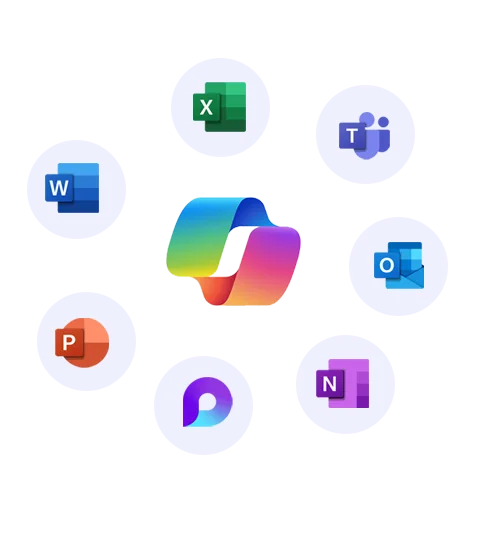
Copilot, when you're ready for it
Copilot puts an AI assistant inside Word, Excel, Outlook and Teams. It can genuinely change how a team works. It can also surface every badly-shared file in your business, which is why we start with readiness: a review of your data governance and how your apps are used, then a rollout that begins with the people who gain most.
Readiness First
We check what Copilot would be able to see before it sees it, so AI lands on tidy, governed data.
Licensed and Supported
Copilot licensing supplied and supported alongside the rest of your Microsoft 365 estate.
Licensing that fits
As a Microsoft Partner we supply your Microsoft 365 licences and match the plans to the roles: Business Premium for people handling sensitive data, Basic for staff who only need email and Teams, frontline licences for carers and field staff. Copilot gets added where it earns its place.
Already on Microsoft 365? We'll review your licences for free and show you where you're paying for more than you use.
Microsoft 365 Products
The apps your team already knows, always on the latest version
Microsoft 365 with A2Z IT
Migrations
Backup
Email Signatures
Password Manager
Security Training
Teams Calling
Device Management
Copilot Readiness
Microsoft 365 FAQs
Can you take over a Microsoft 365 setup someone else built?
Yes. We start by reviewing what's there: who has admin access, how it's secured and what it's licensed for. Then we bring it up to our standard on a plan you've agreed, without switching off anything your team relies on.
We bought Microsoft 365 through GoDaddy. Can we move?
Yes. Licences bought through GoDaddy can't be transferred, so we separate your Microsoft 365 from GoDaddy and move you onto licences of your own. Your email and files stay where they are. We plan the switch around your email.
Do we need to back up Microsoft 365?
We'd say so. Microsoft keeps the service available, but deleted email and files are only recoverable for a limited time. A separate backup gives you a copy that doesn't depend on Microsoft's retention periods.
Why buy licences through you rather than direct?
Because the people supplying your licences are the ones who set up your tenant and look after it. When someone joins, leaves or needs a different plan, that's one conversation. The real saving is usually putting each person on the plan they actually need.
What happens to a leaver's email and files?
Nothing needs to be lost. Their account is closed on the day they leave, with their email kept on retention so it can still be searched or recovered if you need it later. Their OneDrive files go to whoever takes over their work.
Our carers share tablets. Which licence do they need?
Usually a frontline licence, as long as their roles meet Microsoft's rules for frontline staff. The tablets also need setting up so one carer can't open the next one's email. There's more on our care sector page.
Should we be on Google Workspace instead?
Possibly. We're a partner of both, so we'll tell you which fits your business rather than defaulting to the one you're already on. There's more on our Google Workspace page.